CompanionPMA · Property Management Automation

Everything your PM software doesn't track.

CompanionPMA handles the make-readies, unit turns, video inspections, vendor reminders, showing codes, insurance certificates and collections tasks.

It runs alongside AppFolio, Buildium, or whatever you already use. Keep your system. Companion picks up everything that lives on sticky notes. Built by an operator and proven on ~280 of our own doors.

  • Works alongside your PM software
  • Pro-grade for 50–500 doors
  • No enterprise fees
  • Real humans on support
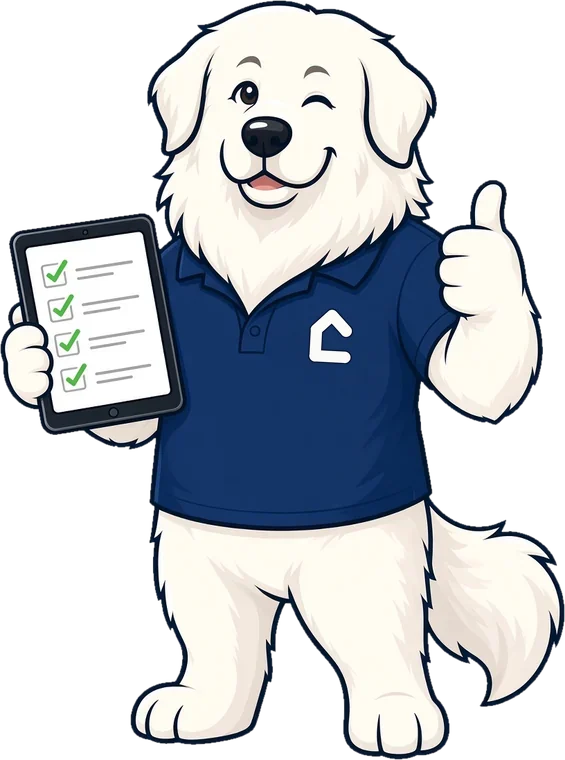
CompanionPMA's mascot, a cartoon Great Pyrenees in a navy Companion polo, giving a thumbs-up while holding a tablet with a checked-off to-do list
A Tuesday in property management

Same day. Very different 6:30 PM.

Flip the switch to see what happens when the stuff your PM software doesn't track finally has somewhere to go.

  1. Vendor texts: "Which unit? What's the gate code?" You dig through three threads to find out.

    The vendor opened a magic link. Unit, to-do, photos and schedule, all there. No login, no password reset.Vendor portal

  2. You drive across town to let a prospect in. They're running late.

    The prospect got their lockbox code by text. You stayed at your desk.Showing codes

  3. Move-out walk: a camera roll full of photos. One has a note that just says "fix… this?"

    You filmed the walk, circled the stain, and said "replace this blind." The to-dos wrote themselves.Video inspection

  4. Turns out the plumber's insurance expired. Nobody noticed. He's already on site.

    The expiring certificate was flagged ahead of time, with this year's coverage compared to last year's.Insurance tracking

  5. Wait, were the quarterly filters done? It was on a sticky note. The sticky note is gone.

    The recurring task created itself and landed on the right person's list.Recurring tasks

  6. "Who's following up on late rent?" Everybody thought somebody else was.

    Every collections task has a task owner and a due date.Collections

  7. Still at the office, re-checking whether the unit is really ready for Friday's move-in.

    Unit 4B's make-ready is on track. You're home for dinner.Make-readies

What CompanionPMA tracks

The stuff that used to live
on sticky notes.

Built for the work between your PM software and the front door.

01 · THE FUN PART

Film the unit. Circle the problem. Say "replace this." Done.

Walk the unit and talk like you're giving a tour. Draw right on the video with circles and arrows. AI reads the transcript and turns what you said into to-dos, ready to assign.

  • Draw-on-screen annotations
  • AI reads the transcript and creates the to-dos
  • Assign to a vendor right from the list
The lady Great Pyrenees property manager in a navy Companion blazer, filming a unit inspection on her phone
02 · UNIT TURNS

Every make-ready on one board, from move-out to move-in.

See which units are turning, what's done, what's waiting, and who has it. No more re-checking a spreadsheet to know whether Friday's move-in is actually ready.

  • Unit turns and make-readies, step by step
  • To-dos flow in from your video inspections
  • Everyone sees the same status
03 · VENDORS

Assign it, schedule it, and let the reminders nag for you.

Send a to-do to a vendor, put it on the schedule, and Companion sends the reminder notices. Vendors open a magic link with everything they need. No account, no password.

  • Assign to-dos to vendors
  • Scheduling with automatic reminder notices
  • No-login, magic-link vendor portal
04 · SHOWINGS

Showing codes go out by text. You stay put.

Manage your lockboxes in one place and send showing codes to prospects by text, automatically. No more driving across town to open a door for someone running 20 minutes late.

  • Lockbox management
  • Automated showing codes by text
  • We'll confirm your lockbox setup on the demo
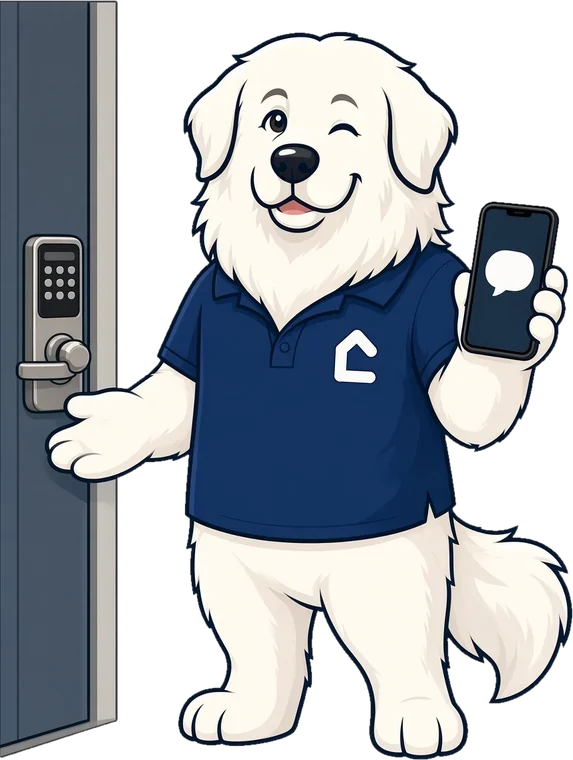
The CompanionPMA mascot standing next to a door's keypad lock, holding up a phone with a message bubble
05 · INSURANCE

Know whose insurance lapsed before they're on site.

Track vendor insurance and certificates (COIs), see what's expiring, and compare this year's coverage to previous years so nothing quietly drops.

  • Vendor insurance and certificate tracking
  • Expiration status at a glance
  • Year-over-year coverage comparison

Inspections

Move-in, move-out and periodic inspections, tracked in one place.

Recurring tasks & reminders

Filters, quarterly walks, annual anything. Set it once and the tickets create themselves.

Delinquency & collections tasks

Collections follow-through on the board, each with a task owner and a due date, so nothing falls through.

Owner portal: coming soon. Want early input? Tell us on your demo.

And the rest of the day

One place for the day-to-day chaos.

Property management shows up as emails, calls, texts, paper mail and a camera roll full of carpet. Companion gives every piece a home, a task owner and a next step.

Work tracking that fits how work really shows up

An email turns into a ticket. The ticket turns into a task. A unit turn becomes a project with every step on it. Nothing lives in one person's inbox.

  • Email
  • Ticket
  • Task
  • Project
  • Done ✓
What's insideShow less about work tracking
  • Emails become tickets, tickets become tasks. Recurring tasks create themselves on schedule.
  • Projects hold the related tasks, like everything in a unit turn.
  • Subtasks for the steps. Checklists for items that just need to be checked off and verified as done.
  • Rules and SLAs route the work and chase it when it stalls.
  • Canned responses and CC watchers keep replies quick and the right people in the loop.

A complete phone system

Calls, texts and voicemail, plus AI that picks up when nobody else can.

What's insideShow less about the phone system
  • Call handling with an IVR menu ("Press 1 for leasing…")
  • Texts and voicemail in a shared team inbox for each number
  • AI leasing answering qualifies the lead, texts listings and books the viewing
  • AI maintenance answering runs a safety check first, then opens the work order
  • Emergency on-call paging for the 2 a.m. stuff

Photos that find themselves

Snap it once. Find it later without scrolling through every carpet photo you've ever taken.

What's insideShow less about photos
  • Location tags read from the photo itself, so it's easy to find again
  • AI captions and tags, so you can search by what's in the picture
  • Galleries for each property
  • Video walkthroughs

Documents and the mailroom

Paper in, paper out, and every file in between, filed where you'll look for it.

What's insideShow less about documents and the mailroom
  • Document management with e-sign
  • Mailroom intake
    Scan or upload incoming paper mail and it’s read with OCR, matched and routed into a ticket, task or document
  • Outbound letters and postcards, printed and mailed for you

Calendars that keep everyone on time

Showings, appointments and who's where, on one schedule the whole team can see.

What's insideShow less about calendars
  • Team calendar and scheduling
  • Showings on the calendar
  • Outlook calendar sync Coming soon
  • Scheduled tasks on the calendar Coming soon
Turn on what you need. Leave the rest off.

Every piece can be switched on or off, so you can start small and add more when you're ready.

No switching required

Keep your PM software.
Add the missing layer.

CompanionPMA doesn't replace your system of record. It sits next to it and handles the operational work it was never built to track.

🏢 Your PM software

AppFolio, Buildium, or whatever you run

  • Rent & accounting
  • Leases & tenant records
  • Owner statements
  • Everything it already does well

CompanionPMA

The work between the software and the front door

  • Make-readies & unit turns
  • Video inspections → to-dos
  • Vendors, scheduling & reminders
  • Lockboxes & showing codes
  • Insurance certificates
  • Recurring & collections tasks
  • Your teamone shared board
  • Vendorsmagic-link portal
  • Prospectscodes by text

AppFolio and Buildium are trademarks of their respective owners. CompanionPMA is independent and not affiliated with or endorsed by them.

The CompanionPMA mascot holding a tablet with a completed checklist
Built by operators

We built Companion because we needed it.

We run 979RENT, about 280 doors of student and residential housing in College Station, Texas. Our PM software handled rent and accounting just fine. Everything else ran on sticky notes, group texts and somebody's memory.

Our founder didn't come to this as just a landlord. He spent more than two decades running an IT company, designing and building custom software for clients. So we built the layer we wished existed and ran it on our own doors. Companion isn't a pitch deck. It's how our team actually gets make-readies done before move-in day.

~280of our own doors run on it
50–500doors: the range we built it for
20+ yrsbuilding software for clients
Humansfor the exceptions. AI handles the routine.
AI for the routine. Humans for the rest.

AI handles the routine.
People handle the exceptions.

Companion is built so its AI assistant takes the everyday questions, like gate codes, job status and who's on the schedule, in chat and on calls. When something's unusual, it hands you to a real person who runs properties too, with the details already attached, so you never repeat yourself. That's how Companion stays pro-grade without enterprise fees.

Support hours & channels: [SUPPORT_HOURS] · [SUPPORT_PHONE] · [SUPPORT_EMAIL]

Not a property manager?

Companion gets any business organized and puts AI to work.

Same idea, different doors. If your team runs on sticky notes, group texts and "I thought you had it," Companion gives the work a home and lets AI automation handle the busywork.

Tell us what you run
  • Recurring tasks that create themselves
  • Reminders that actually go out
  • To-dos assigned to the right person
  • AI automation for the repetitive stuff
From the team behind CompanionPMA

Watch The Glamorous Life of a Landlord

Cartoon retellings of the wildest, funniest property management stories. Tiaras optional. Plungers included.

Watch on Facebook (opens in a new tab)
The Glamorous Life of a Landlord cartoon duo: the Great Pyrenees mascot in a tiara and pink boa holding a plunger, beside his co-star in a navy blazer
FAQ

Questions, answered plainly.

Do I have to switch PM software?

Nope. CompanionPMA runs alongside your PM software. Keep using it for rent, accounting and leases; Companion handles the operational work around it. On a demo we'll walk through how it fits your setup.

Does Companion sync with AppFolio or Buildium?

Companion is designed to run alongside your PM software, not replace it. Bring your questions about your setup to the demo and we'll show you how teams use the two side by side.

How do video inspections work?

Film the unit on your phone and narrate as you go. Draw circles and arrows right on the video to mark what matters. AI reads the transcript and creates the to-dos, which you can assign to vendors and schedule into the make-ready.

Do my vendors need an account?

No. Vendors get a magic link that opens the job with the details they need. No login, no password. They also get reminder notices for scheduled work.

How do showing codes work?

Companion helps you manage lockboxes and sends showing codes to prospects by text automatically. On your demo, we'll confirm how it works with the lockboxes you use.

Who is CompanionPMA for?

Property management companies with roughly 50–500 doors that want pro-grade tools without enterprise fees. Other businesses that want to get organized and use AI automation are welcome too.

How much does it cost?

[PRICE]. No enterprise fees. Book a demo and we'll walk you through it.

Do you offer owner reporting or an owner portal?

Not yet. An owner portal is coming soon. Tell us what you'd want in it on your demo.

Where do I log in?

Existing customers and vendors sign in at myCPMA.com.

Who built this?

214 Labs in College Station, Texas: the same people who run 979RENT's ~280 doors. We built Companion for ourselves first.

Book a demo

Get the sticky notes off your monitor.

See how CompanionPMA fits alongside your PM software in a quick, no-pressure demo, run by someone who manages doors too. [OFFER]

  • 1Tell us about your portfolio
  • 2We show you video inspections, make-readies & vendor flows
  • 3You decide. No enterprise contract theatrics.

Request a demo

Pricing: [PRICE]. We'll only use this to contact you about CompanionPMA.

No spam, no robots calling you. Privacy policy